

Timetable information, tickets and real-time updates, all in one place on your smartphone
MVV App
The MVV app combines timetables, real-time information, service disruption alerts, network maps and quick mobile ticket purchases in a single app, making every journey across the entire MVV network easier.
The MVV app combines timetable information, real-time updates and ticket purchasing. It allows you to check door-to-door connections, displays departures and arrivals at stops, provides network maps and keeps you informed about disruptions and engineering works.
Various mobile tickets can be purchased via the integrated MVV Ticket Shop, including day tickets, multi-trip tickets, connecting tickets and short-distance tickets. Payment is convenient via Apple Pay, Google Pay or other methods. With MVVswipe, a single swipe is all it takes to get the right ticket.
The app is ad-free and available free of charge from the Apple App Store, Google Play Store and the Huawei App Gallery.
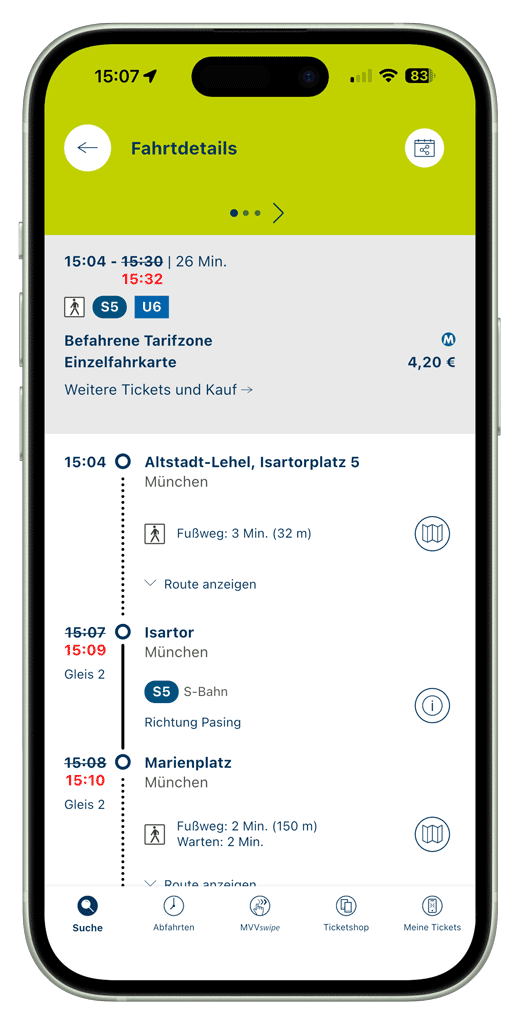
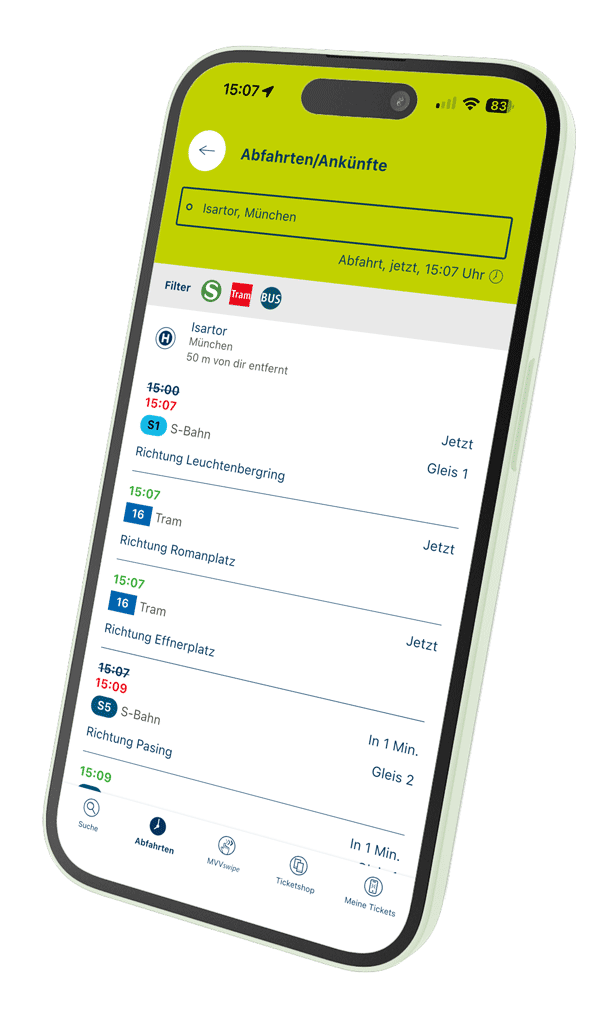






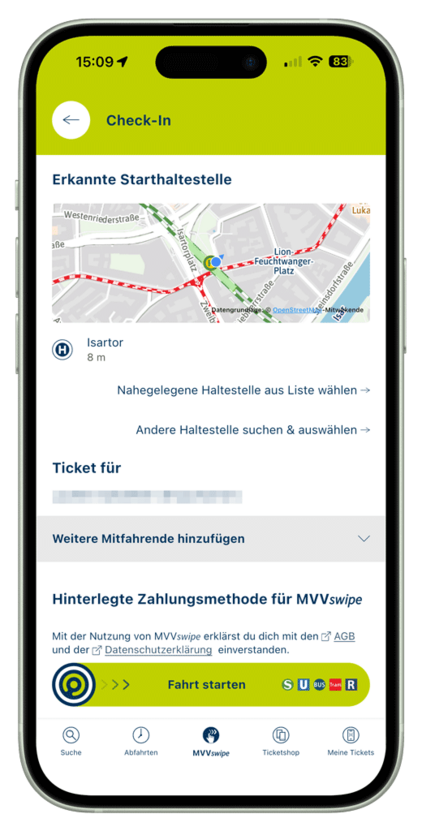
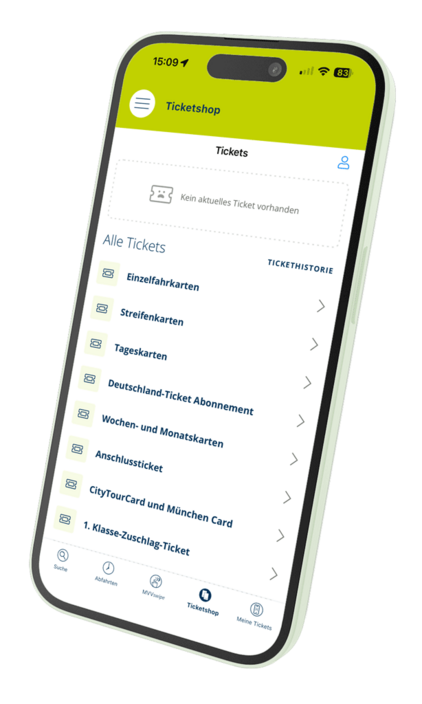
Features and options of the MVV app
Reach your destination intuitively with the MVV app
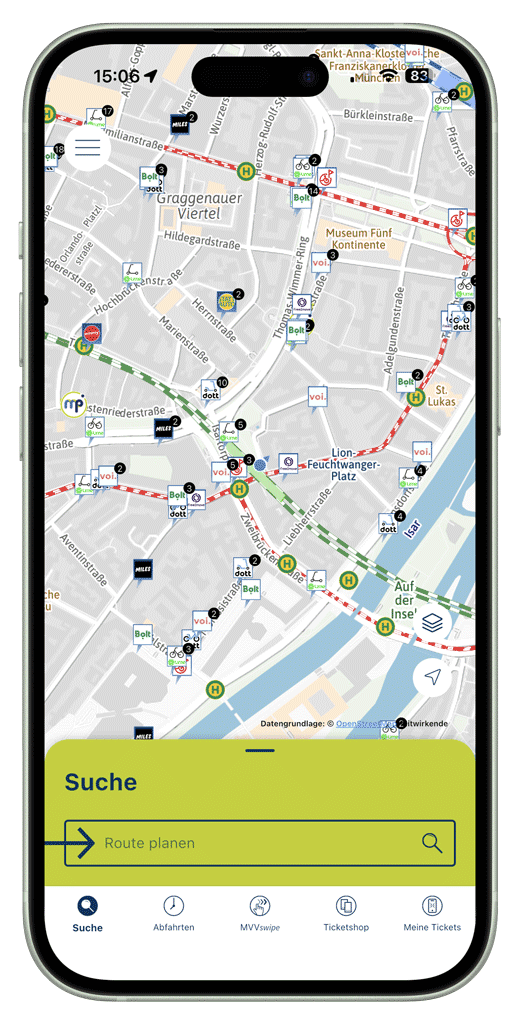
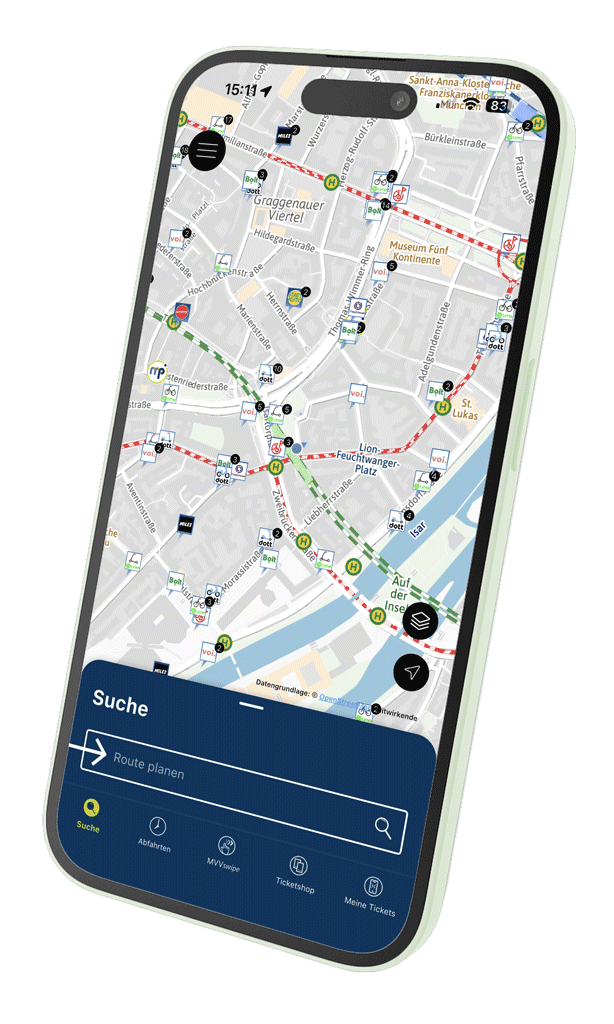
The MVV app features a clear home screen that takes you straight to the route planner – the starting point for all key information about your journey and the right mobile ticket. Other functions are easily accessible via well-structured menus.
The app uses a two-part menu navigation:
- Quick access bar:
The most important functions are accessible at any time with a single click, regardless of the current view. The bar can be freely customised, with up to five functions and your own sorting order. - Main menu:
The ‘hamburger menu’ in the top-left corner leads to all areas of the app, including less frequently used functions.
Find connections easily – from A to B, by public transport, car-sharing or Park & Ride
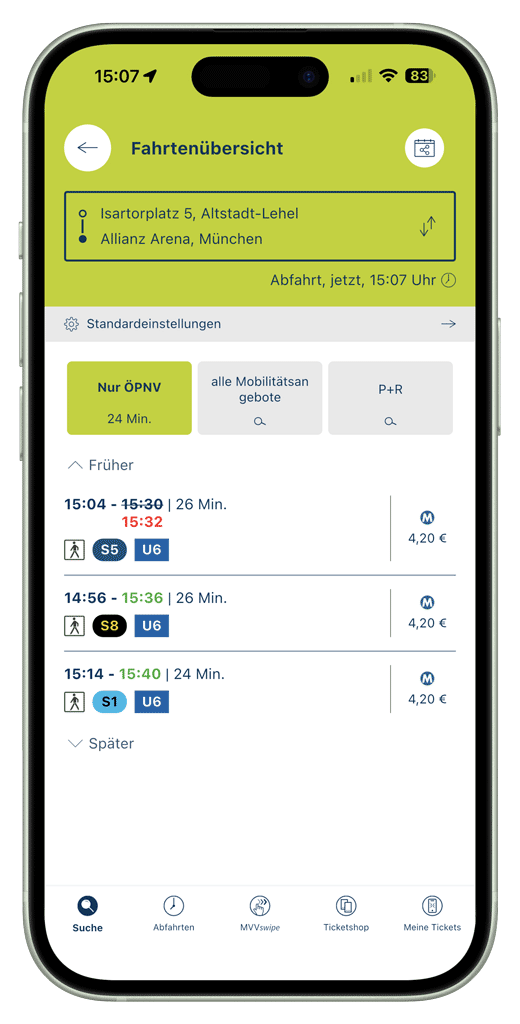
The MVV app’s journey planner quickly and reliably shows suitable connections for getting from A to B. You can search by stops, addresses or points of interest (POIs). By default, the app always suggests the quickest connection and uses real-time data such as punctuality forecasts, delays, disruptions and passenger numbers.
The search can be customised via the settings – for example, by excluding stairs, prioritising fewer changes, or specifying whether the starting point should automatically be your current location.
Several route suggestions are displayed for each search. Tapping on one reveals details such as walking distances and changes. Additionally, the app displays sharing options (bike, car and scooter sharing) as well as Park & Ride recommendations on request, and determines the best possible combinations for these.
Fares and suitable tickets are displayed for every public transport connection within the network area. These can be purchased directly in the app as an MVV HandyTicket and paid for using Apple Pay or Google Pay.
Fast, digital and always at your fingertips
Selected MVV tickets can be conveniently purchased via smartphone using the MVV app. Tickets are available either directly via the route finder or can be selected in the ticket shop, which can be accessed via the main menu or the quick access bar.
The tickets on offer include the Deutschland-Ticket (season ticket), single tickets, multi-trip tickets, day tickets, weekly and monthly tickets, connecting tickets, the CityTourCard and the München Card.
All additional information about MVV Mobile Tickets can be found on the MVV website.
Check in, set off, check out – automatically at the best price
MVVswipe lets you buy tickets without needing to know the fare structure. The MVV app automatically recognises the route travelled and calculates the cheapest available ticket price. Before starting your journey, simply swipe right; at the end of your journey, swipe left – both on the app interface.
Further information on MVVswipe can be found on the MVV website.
Keep fully informed about current and planned changes
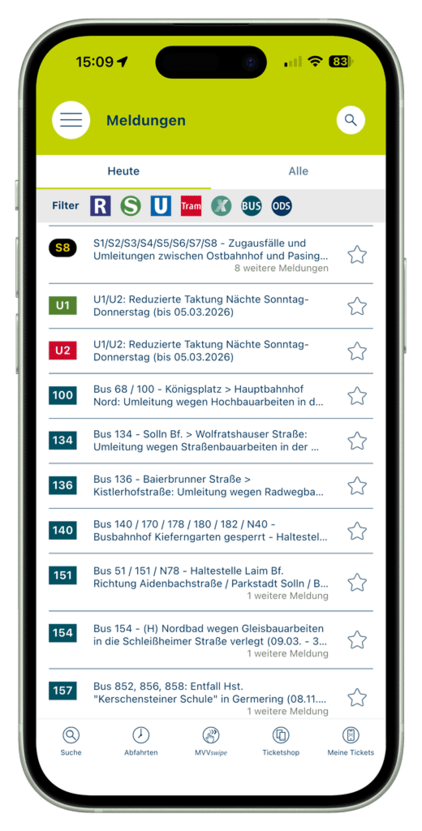
The service disruption overview provides all available information on timetable changes, such as those caused by disruptions, as well as details of planned changes due to construction work or events. It is particularly useful for finding out about changes to individual routes at an early stage.
The overview specifies the time period, estimated duration and further details – including links to construction site timetables. The overview is line-specific and can be customised using search, filters and favourites, ensuring that relevant notifications are always in view.
Real-time information for every stop
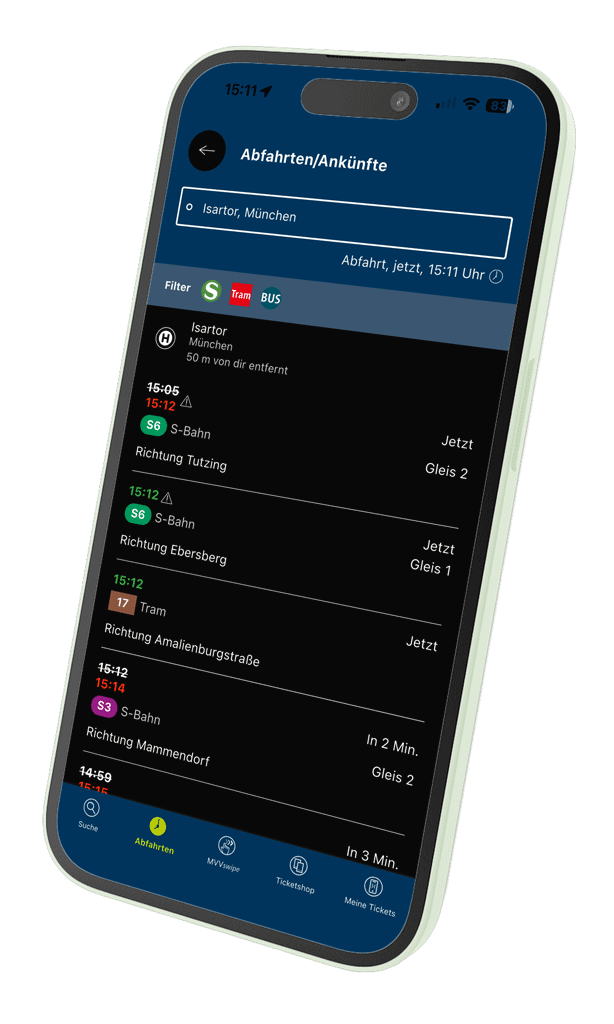
Here you can view the next departures and arrivals for any stop – mostly using real-time data. Ideal for situations where you need to decide quickly whether the next bus or the one after that is more convenient.
In addition to stops, you can also use locations, addresses or POIs. The app automatically finds all relevant departures in the area.
Finding your way made easy
The app provides a selection of up-to-date network and overview maps – including the classic rapid transit network map, optionally expanded to include tram and express bus routes, the night service network, park-and-ride maps and accessible station information. In addition, fare information and regional train timetables outside the MVV area can also be accessed.
Everything you need to know about your MVV logins
The MVV app offers various services that require registration. The profile page shows which accounts are active and allows you to manage your stored data.
MVV ID: Access for MVVswipe, FLEX, FLEXlinie and BergBus bookings. Further functions will be added in the future.
Ticketshop ID: A separate registration is currently still required for the Ticketshop. Although HandyTickets can be purchased without registering, the process is quicker and more convenient with a login.
Important: For security reasons, Ticketshop passwords can only be changed directly within the Ticketshop.
An overview of all on-demand journeys
All booked journeys for the on-demand services are displayed here – regardless of whether they were booked via the app, the information service or (with a user account) by telephone. A single tap is all it takes to view the exact route, purchase a ticket or – in the case of FLEX – see the vehicle’s location on the map.
As FLEX and FLEXlinie are scheduled according to actual demand, planned departure times may vary.
• FLEXlinie: possible delay of 30–45 minutes from the first
stop• FLEX: short-term adjustments of a few minutes
Ticket checks made easy
This section clearly displays all purchased and currently valid MVV Mobile Tickets. This means you can always see which ticket is required for your current journey. In the event of a ticket inspection, you can produce the correct ticket quickly and without having to search for it.
Configure the MVV app to suit your needs
In the settings, you can adjust numerous parameters to personalise your journey search and app experience. In addition to the default ‘fastest connection’ option, you can also prioritise journeys with fewer changes or routes with shorter walking distances.
These options are particularly helpful for people with limited mobility, as they shorten long walking distances or exclude routes with stairs. This makes using public transport easier and more accessible.
Know how much space is available before you set off
The occupancy indicator for MVV regional buses shows how full a vehicle is likely to be. Four categories – ranging from low to medium, high and exceptionally high occupancy – provide an indication of whether plenty of seats are available, only a few seats remain, standing room is available, or the bus may even be overcrowded.
This allows you to decide in advance whether it is worth switching to a different journey. The figures are based on historical passenger counts and do not reflect real-time data. In future, the display is to be extended to other modes of transport in collaboration with transport operators.
The occupancy display is based on data from passenger counts recorded using automatic, technical counting devices. The BMVI has generously funded this project as part of the digitalisation of local transport systems.